How to Use Claude Code for Your Business: The Complete Guide for 2026
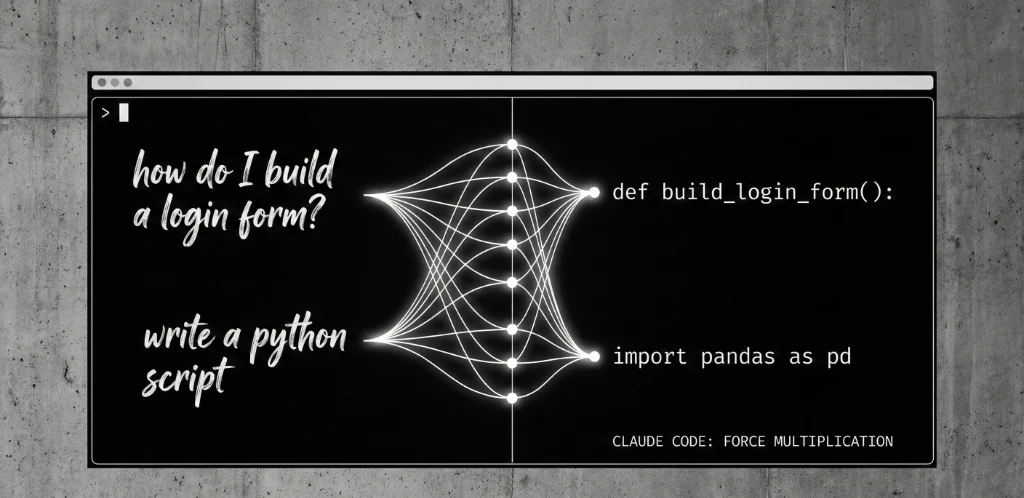
Your competitors are shipping features in days while you're stuck in sprint planning. The gap isn't talent—it's tooling. Claude Code is the AI-powered development force multiplier that turns natural language into production code, and businesses that master it are operating at 3-10x the velocity of those that don't.
This guide breaks down exactly how to use Claude Code for business: what it does, how to implement it, the workflows that drive results, and the mistakes that waste time and money. No hype, no theory—just practical implementation from teams already using it in production.
What Is Claude Code and Why Should Your Business Care?
Claude Code is Anthropic's agentic coding tool. It lives in your terminal and IDE, understands your entire codebase, and executes development tasks through natural language commands.
What makes it different from other AI coding tools:
- Agentic execution — It doesn't just suggest code, it writes files, runs commands, handles git, and iterates until the task is complete
- Codebase-aware — It reads your entire project, understands your patterns, and generates code that fits your existing architecture
- Multi-file operations — Add a feature that touches 15 files? Claude Code handles it in one conversation
- Autonomous debugging — It can run tests, see failures, fix issues, and verify the fix—without human intervention on each step
The business translation: Tasks that took your developers hours now take minutes. The bottleneck shifts from "how fast can we code" to "how well can we define what we need."
How Claude Code Actually Works
Understanding the mechanics helps you use it effectively.
The Core Workflow
- Context loading — Claude Code reads your project structure, key files, and recent changes to understand what it's working with
- Task interpretation — You describe what you need in natural language ("add rate limiting to the API endpoints")
- Planning — Claude Code analyzes the codebase and outlines its approach before making changes
- Execution — It writes code, creates files, modifies existing files, and runs commands as needed
- Verification — It can run tests, check for errors, and iterate until the implementation works
Where It Runs
- Terminal — Run
claudein any project directory for full command-line access - VS Code — Native extension with visual diffs for reviewing changes
- JetBrains IDEs — Plugin support for IntelliJ, PyCharm, WebStorm, etc.
- GitHub — Tag @claude in issues and PRs for automated assistance
What It Can Access
- Full read/write access to files in your project directory
- Ability to run terminal commands (with your approval)
- Git operations (commit, branch, push)
- External tools via MCP (Model Context Protocol) integrations
The 5 Highest-ROI Use Cases for Business
Not all Claude Code applications deliver equal value. Based on implementation data and user reports, these five use cases consistently produce the highest return:
1. Feature Implementation (5-10x Speed Improvement)
The old way: Developer researches approach, writes code across multiple files, tests, debugs, refactors. A medium-complexity feature takes 2-4 days.
With Claude Code: Developer describes the feature requirements, Claude Code implements across all necessary files, developer reviews and refines. Same feature takes 2-4 hours.
Example prompt: "Add a user notification system. Users should be able to set preferences for email, SMS, and in-app notifications. Create the database schema, API endpoints, and frontend components. Follow our existing patterns in the auth module."
What Claude Code delivers:
- Database migration files
- Model definitions matching your ORM patterns
- API routes following your existing structure
- Frontend components using your design system
- Test files for new functionality
Business impact: Features that blocked roadmaps for weeks ship in days. Product velocity increases without hiring.
2. Codebase Modernization and Refactoring (80% Time Reduction)
The pain: Legacy code needs updating—new framework version, TypeScript migration, pattern changes. Manual refactoring is tedious and error-prone.
With Claude Code: Describe the transformation pattern, Claude Code applies it consistently across the entire codebase.
Common use cases:
- JavaScript to TypeScript migration
- Class components to functional React hooks
- REST to GraphQL adapter layers
- Adding error handling to existing functions
- Updating deprecated API calls across thousands of files
Example prompt: "Convert all class-based React components in the /components directory to functional components with hooks. Preserve all existing functionality and prop types. Add TypeScript interfaces where types are currently inferred."
Business impact: Technical debt that accumulated for years gets resolved in weeks. Modernization projects become feasible without dedicated teams.
3. Bug Fixing and Debugging (70% Faster Resolution)
The traditional cycle: Reproduce bug, identify root cause, implement fix, test, deploy. Each step requires human attention and context switching.
With Claude Code: Paste the error, describe the behavior, Claude Code traces through the codebase, identifies the issue, implements the fix, and verifies it works.
Example prompt: "Users report 500 errors when updating their profile with special characters in the bio field. Here's the error log: [paste]. Find the root cause and fix it."
What Claude Code does:
- Traces the error to the relevant code paths
- Identifies input validation or encoding issues
- Implements the fix with proper escaping/sanitization
- Adds test cases for the edge case
- Commits with a descriptive message
Business impact: Support ticket resolution accelerates. Production issues that disrupted sprints get fixed in hours, not days.
4. Test Writing and Quality Automation (90% Coverage Achievable)
The reality: Most teams know they should have better test coverage. Few have time to write comprehensive tests alongside features.
With Claude Code: Point it at existing code, ask for tests. It analyzes function behavior, edge cases, and generates test suites that actually verify functionality.
Example prompt: "Write comprehensive unit tests for the PaymentService class. Include tests for successful payments, failed payments, refunds, edge cases around currency conversion, and error handling. Use Jest and follow our existing test patterns."
Results teams report:
- Test coverage jumping from 40% to 90%+
- 50% fewer production bugs after implementing AI-assisted testing
- Tests that actually catch regressions (not just hitting coverage metrics)
Business impact: Ship with confidence. Fewer production incidents, faster release cycles, reduced QA bottlenecks.
5. Documentation Generation (Previously Ignored, Now Automated)
The excuse: "We don't have time to document." The result: onboarding takes months, tribal knowledge leaves with departing employees.
With Claude Code: It reads the code and generates accurate documentation—API references, architecture explanations, setup guides, inline comments.
Example prompt: "Generate API documentation for all endpoints in the /api directory. Include request/response schemas, authentication requirements, error codes, and example curl commands. Format as Markdown for our docs site."
Business impact: New developers onboard in weeks, not months. External API users can self-serve. Internal knowledge becomes externalized and searchable.
Implementation: How to Deploy Claude Code for Your Team
Phase 1: Individual Setup (Week 1)
Installation:
MacOS/Linux:
curl -fsSL https://claude.ai/install.sh | bashWindows:
irm https://claude.ai/install.ps1 | iexFirst-time setup:
- Navigate to your project directory
- Run
claudeto start a session - Complete authentication with your Claude account
- Start with a simple task to verify it's working
Recommended first tasks:
- "Explain what this codebase does and how it's structured"
- "Add error handling to [specific function]"
- "Write tests for [specific file]"
Phase 2: Workflow Integration (Weeks 2-4)
Set up slash commands for common operations. Create a .claude/commands/ directory in your project with custom commands:
Example: /commit-push-pr command
Automates the entire git workflow: stages changes, generates commit message, pushes, and creates a pull request with description.
Establish team conventions:
- Create a
CLAUDE.mdfile documenting how Claude should work in your codebase - Define coding standards Claude should follow
- Specify which directories Claude can/can't modify
- Document your architecture patterns for Claude to reference
Integrate with existing tools:
- IDE extensions for VS Code or JetBrains
- GitHub integration for PR assistance
- MCP connections for external tool access
Phase 3: Team Rollout (Month 2)
For Teams/Enterprise plans:
- Configure SSO and access controls
- Set up usage monitoring and analytics
- Establish code review policies for AI-generated code
- Create onboarding materials for new users
Training focus areas:
- Effective prompting techniques
- When to use Claude Code vs. manual coding
- Reviewing and validating AI-generated code
- Security considerations and best practices
Prompting Strategies That Actually Work
The quality of Claude Code's output depends heavily on how you communicate with it. Here's what separates productive prompting from wasted tokens:
Be Specific About Context
Weak: "Add authentication"
Strong: "Add JWT-based authentication to the Express API. Use the existing User model in /models/user.js. Store tokens in HTTP-only cookies. Create login, logout, and refresh endpoints. Protect all routes under /api/v1/admin with the auth middleware."
Reference Existing Patterns
Weak: "Create a new API endpoint"
Strong: "Create a CRUD API for Products following the same patterns as the Users API in /api/users. Include validation, error handling, and tests matching our existing structure."
Specify Acceptance Criteria
Weak: "Fix the bug in checkout"
Strong: "Fix the checkout bug where totals don't update when removing items. Acceptance: removing an item should recalculate subtotal, tax, and total. The cart badge should update. Tests should pass. Don't modify the payment integration."
Use Plan Mode for Complex Tasks
For multi-step implementations, ask Claude Code to plan before executing:
"Before implementing, outline your approach for adding the notification system. List which files you'll create/modify, what the data flow will look like, and any questions you have about requirements."
Common Mistakes and How to Avoid Them
Mistake 1: Skipping Code Review
The trap: Claude Code generates working code, so developers merge without review.
The reality: AI-generated code can have subtle bugs, security issues, or architectural problems. Always review.
The fix: Treat Claude Code output like junior developer PRs—functional but requiring senior review before merge.
Mistake 2: Vague Requirements
The trap: "Add a dashboard" → Claude generates something, but it's not what you needed.
The reality: Claude Code isn't a mind reader. Undefined requirements produce undefined results.
The fix: Spend 5 minutes writing clear requirements. It saves 50 minutes of iteration.
Mistake 3: Ignoring Existing Patterns
The trap: Claude Code creates new patterns that don't match your codebase conventions.
The reality: Without explicit guidance, Claude Code invents its own approaches.
The fix: Create a CLAUDE.md file documenting your patterns. Reference specific files as examples in prompts.
Mistake 4: Using It for Everything
The trap: Trying to use Claude Code for tasks better done manually or with other tools.
The reality: Some tasks are faster to do yourself—quick typo fixes, simple config changes.
The fix: Use Claude Code for complex, multi-file, or repetitive tasks. Manual coding for quick edits.
Mistake 5: No Verification Strategy
The trap: Assuming the code works because it compiles.
The reality: Compiling isn't the same as correct. Edge cases exist.
The fix: Ask Claude Code to run tests, verify behavior, and confirm the implementation meets requirements before considering a task complete.
Security and Compliance Considerations
What Anthropic commits to:
- Code processed according to Commercial Terms of Service
- User feedback not used for model training without consent
- Limited retention periods for sensitive data
- Enterprise plans include SSO, audit logs, and data controls
Best practices for sensitive codebases:
- Start with non-sensitive repositories to build familiarity
- Never include credentials, API keys, or secrets in prompts
- Review all AI-generated code for security vulnerabilities
- Use environment variables and secrets management—never hardcode
- Work with your security team to establish acceptable use policies
Compliance considerations:
- Document AI usage in your development practices for audit purposes
- Ensure AI-generated code meets your industry's regulatory requirements
- Review export control implications if applicable to your business
ROI Calculation: Is Claude Code Worth It?
The math for a single developer:
- Claude Pro subscription: $20/month
- Conservative time savings: 5 hours/week
- Developer cost at $75/hour: $375/week in recovered time
- Monthly ROI: $1,500 in productivity / $20 cost = 75x return
For a 5-person team:
- Claude Teams: $125/month
- Time savings: 25 hours/week combined
- Monthly recovered productivity: $7,500
- ROI: 60x return
What the numbers don't capture:
- Faster time to market (competitive advantage)
- Better test coverage (fewer production incidents)
- Improved documentation (faster onboarding)
- Developer satisfaction (less grunt work)
People Also Ask
Does Claude Code work with any programming language?
Claude Code works with virtually any programming language—it's trained on code from across the software ecosystem. It's particularly strong with Python, JavaScript/TypeScript, Java, C++, Go, Rust, Ruby, and PHP. For domain-specific languages or newer frameworks, results may vary, but Claude Code can still provide assistance by understanding general programming concepts and adapting to your codebase's patterns.
Can I use Claude Code offline or in air-gapped environments?
Claude Code requires an internet connection to function—it communicates with Anthropic's servers to process requests. For air-gapped or highly restricted environments, this is currently a limitation. Enterprise customers with specific security requirements should contact Anthropic directly to discuss potential solutions or roadmap items.
How does Claude Code handle large codebases with millions of lines?
Claude Code uses intelligent context management to handle large codebases efficiently. The recent MCP Tool Search feature implements "lazy loading" for tools, and similar optimizations apply to codebase understanding. Rather than loading everything, Claude Code focuses on relevant files based on your task. For very large monorepos, pointing Claude Code at specific directories or modules rather than the entire repository produces better results.
What happens if Claude Code makes a mistake that breaks production?
Claude Code generates code for human review—it doesn't have direct access to production systems. The recommended workflow includes code review, testing, and standard deployment gates before any code reaches production. If AI-generated code causes issues, the responsibility lies with the review and deployment process, not the tool. Treat Claude Code output like any other code: test thoroughly and review carefully.
Verified Data & Methodology
Research Sources:
- Anthropic official documentation and Claude Code product pages
- GitHub repository: anthropics/claude-code (58.2k stars, 4.3k forks)
- VentureBeat reporting on Claude Code 2.1.0 features and creator workflow
- Developer community feedback from InfoQ, DEV.to, and F22 Labs
- Internal benchmarks: MCP Tool Search improved Opus 4.5 accuracy from 79.5% to 88.1%
- User-reported productivity gains: 70% fewer production bugs, 50% faster debugging with TDD workflows
Note: Productivity improvements vary by codebase complexity, team experience, and implementation approach. The figures cited represent reported outcomes from teams actively using Claude Code in production environments. Your results may differ based on specific use cases and organizational factors.
The Bottom Line
Claude Code is the most significant productivity tool to hit software development since version control.
The businesses winning with AI in 2026 aren't the ones with the most developers—they're the ones making each developer 3-10x more effective. Claude Code is how you get there.
- Start small: Pick one high-friction workflow and automate it
- Build competence: Train your team on effective prompting
- Scale systematically: Expand to more use cases as you verify results
The gap between companies using AI coding tools and those that aren't will only widen. Features that take your competitors weeks will take you days. Technical debt that paralyzes other teams will get resolved in sprints.
The question isn't whether to adopt Claude Code. It's how fast you can make it part of your development workflow.
Book a free automation assessment →
We'll analyze your development workflow and identify the highest-ROI opportunities for AI automation—whether that's Claude Code, outbound systems, or broader process automation.
Related Articles



Ready to Automate Your Business?
Book a free consultation to discuss how AI automation can save you 40+ hours per month.
Book Free Consultation