Getting Started with AI Automation: A Practical Guide for Business Owners
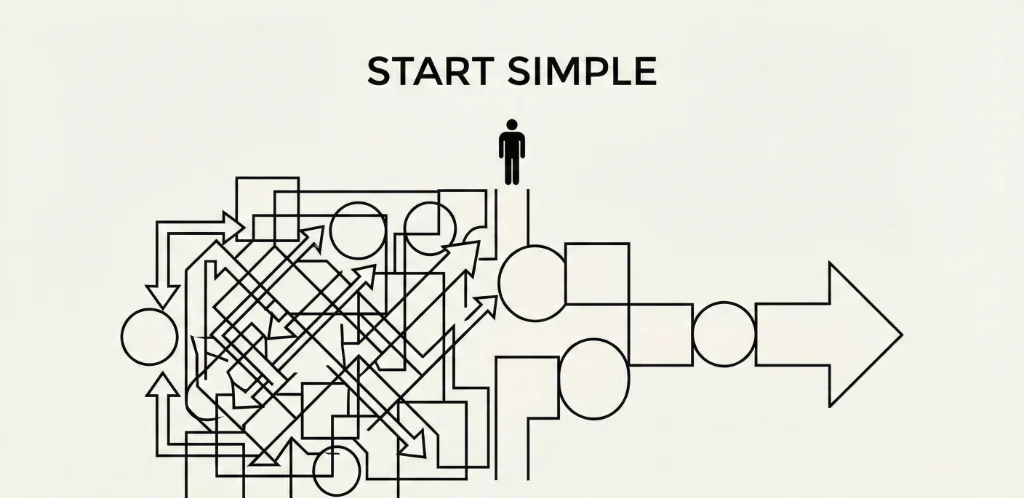
Every business owner has heard they "need AI" but few know where to actually start. The hype makes it seem like you need a data science team and million-dollar budget. The reality? Most businesses can implement meaningful AI automation in weeks, not months—often without writing a single line of code.
After helping dozens of companies implement their first AI systems, I've seen the same patterns: what works, what fails, and what actually moves the needle. This guide cuts through the noise to show you exactly how to get started with AI automation—practically and profitably.
AI Automation vs. Traditional Automation: Why It Matters
Before diving into implementation, you need to understand what makes AI automation different from the automation you might already have.
Traditional automation follows rigid rules:
- IF new row in spreadsheet THEN send email
- IF form submitted THEN create CRM record
- IF payment received THEN update invoice status
This works great for predictable, structured workflows. But it breaks the moment something unexpected happens—a misspelled field, an unusual request, data in the wrong format.
AI automation handles ambiguity:
- Read this customer email, understand what they're asking, draft an appropriate response
- Look at this lead's website and LinkedIn, determine if they're a good fit for our services
- Review this contract, extract the key terms, flag anything unusual
The difference is judgment. AI can interpret context, make decisions, and handle variations without explicit rules for every scenario.
Where AI Automation Actually Delivers ROI
Not everything should be automated with AI. The best targets share three characteristics:
1. High volume, repetitive tasks
AI shines when the same type of decision happens hundreds of times per week. One-off tasks aren't worth automating; recurring tasks are.
2. Currently requires skilled human time
If you're paying $50/hour employees to do work AI could handle, that's your automation target. Automating minimum-wage tasks rarely pays off.
3. Has clear inputs and measurable outputs
You need to define what goes in (emails, documents, data) and what should come out (responses, decisions, extracted fields). Vague goals = failed automation.
Best First Automation Targets
Based on implementation success rates across our clients:
Email triage and response drafting (80% success rate)
- AI reads incoming emails, categorizes by type (support, sales, spam, urgent)
- Drafts appropriate responses for human review
- Routes to correct team member based on content
- Typical result: 60% reduction in email handling time
Lead qualification and enrichment (75% success rate)
- AI researches incoming leads (company size, tech stack, recent news)
- Scores fit based on your ICP criteria
- Routes hot leads to sales, nurtures cold leads automatically
- Typical result: Sales reps spend 80% more time on qualified prospects
Document data extraction (85% success rate)
- AI reads invoices, contracts, forms, receipts
- Extracts key fields into structured data
- Flags anomalies for human review
- Typical result: 90% reduction in manual data entry
Content repurposing (70% success rate)
- Turn blog posts into social media threads
- Transform meeting recordings into summaries and action items
- Convert long documents into key takeaways
- Typical result: 5x more content output from same input
What to Avoid Automating (Initially)
- Strategic decisions — AI can inform, but humans should decide on pricing, hiring, partnerships
- Creative brand work — AI-generated content often lacks the nuance that differentiates your brand
- Sensitive communications — Firing, performance reviews, legal disputes need human touch
- Processes you don't understand — You can't automate what you can't explain
The 4-Step Implementation Framework
Here's the exact process we use to implement AI automation for clients:
Step 1: Audit Your Current Processes (Week 1)
Before touching any AI tools, document what you're actually doing:
- List every recurring task that takes more than 30 minutes per week
- Track time spent on each task for one week (use Toggl, RescueTime, or manual logs)
- Identify the input and output for each task (what goes in, what comes out)
- Note the decision logic — what rules determine how the task is handled?
The audit spreadsheet should include:
- Task name
- Frequency (daily, weekly, monthly)
- Time per occurrence
- Who currently does it
- Input type (email, document, data, request)
- Output type (response, decision, record, report)
- Complexity (1-5 scale)
Prioritization formula: (Hours per month) × (Hourly cost of person doing it) × (1 / Complexity score) = Automation priority score
Start with the highest-scoring tasks.
Step 2: Choose Your Tools (Week 2)
Match tools to your technical comfort level and budget:
No-code (best for most businesses starting out):
- ChatGPT Plus / Claude Pro ($20/mo) — Ad-hoc tasks, drafting, analysis
- Make.com + AI modules ($9-30/mo) — Visual workflow builder with GPT/Claude integration
- Zapier Central ($50/mo) — AI-powered automation with natural language commands
- Bardeen (Free-$15/mo) — Browser-based automation with AI
Low-code (for more complex workflows):
- n8n (free self-hosted) — Open-source workflow automation with AI nodes
- Relevance AI ($19/mo) — Pre-built AI agents for common business tasks
- Activepieces (free self-hosted) — Open-source Zapier alternative with AI
Custom development (for scale):
- Python + OpenRouter/Anthropic APIs — Full control, highest flexibility
- LangChain / CrewAI — Frameworks for multi-agent systems
- Requires developer resources or agency partnership
Step 3: Build Your First Automation (Weeks 3-4)
Pick ONE task from your audit and automate it completely:
The build process:
- Document the exact workflow — What triggers it? What steps happen? What's the output?
- Write the AI prompt — Clear instructions for what the AI should do with each input
- Build the automation — Connect trigger → AI step → output action
- Test with 10 real examples — Use actual data to verify quality
- Add human review — AI drafts, human approves (initially)
- Monitor for 1 week — Track accuracy, speed, edge cases
Example: Email response automation
- Trigger: New email arrives in support inbox
- AI step: Categorize email (support, sales, spam, urgent), draft appropriate response
- Output: Create draft in Gmail, notify team member to review
- Human review: Team member edits if needed, clicks send
Critical success factors:
- Start with AI-assisted (human in loop), not AI-autonomous
- Build in error handling—what happens when AI fails?
- Log everything for debugging and improvement
- Set quality thresholds—if AI confidence is low, escalate to human
Step 4: Measure, Iterate, Scale (Ongoing)
After your first automation is running:
Week 1-2: Measure baseline
- How many tasks processed?
- What's the accuracy rate?
- How much human time saved?
- What edge cases appeared?
Week 3-4: Iterate on quality
- Refine AI prompts based on errors
- Add rules for edge cases
- Gradually reduce human review for high-confidence outputs
Month 2+: Scale to next task
- Apply learnings to second automation target
- Look for connections between automations
- Build compound workflows (output of one feeds input of another)
Common Mistakes and How to Avoid Them
Mistake 1: Trying to automate everything at once
- ❌ "Let's build a complete AI-powered business by next month"
- ✅ "Let's automate email triage this week, measure results, then expand"
Mistake 2: No human oversight
- ❌ AI sends customer emails autonomously from day 1
- ✅ AI drafts, human reviews for first 100 emails, then gradually automate approvals for routine cases
Mistake 3: Ignoring change management
- ❌ Launch automation without telling the team
- ✅ Involve the people doing the task, get their input, train them on the new workflow
Mistake 4: Expecting perfection
- ❌ "The AI made one mistake, automation doesn't work"
- ✅ "The AI handles 85% correctly—that's 85% less work for humans"
Mistake 5: Building before understanding
- ❌ "Let's automate this process" (can't explain what the process is)
- ✅ Document every step manually first, then automate what's clear
Real Costs and Realistic Timelines
What to budget for your first AI automation:
DIY approach:
- Tools: $50-150/month (Make.com + AI API credits)
- Your time: 20-40 hours to learn and build
- Timeline: 4-6 weeks to first working automation
Guided approach (course/coaching):
- Tools: $50-150/month
- Training: $500-2,000 one-time
- Your time: 10-20 hours
- Timeline: 2-4 weeks to first working automation
Agency approach:
- Tools: $50-150/month (or included)
- Setup: $2,000-10,000 depending on complexity
- Your time: 5-10 hours (requirements, feedback)
- Timeline: 2-4 weeks to first working automation
The right choice depends on your time availability, technical comfort, and how critical speed is. If AI automation directly drives revenue (like lead generation), paying for speed often makes sense.
Your First Week Action Plan
Here's exactly what to do in the next 7 days:
Day 1-2: Process audit
- List all recurring tasks taking 30+ minutes per week
- Start tracking time on each
Day 3-4: Prioritization
- Score each task using the formula above
- Select top 3 candidates for automation
Day 5-6: Tool selection
- Sign up for Make.com free trial
- Explore 2-3 pre-built AI templates
- Identify which matches your #1 task
Day 7: First experiment
- Build a simple version of your top automation
- Test with 5 real examples
- Document what worked and what didn't
That's it. In one week, you'll have hands-on experience with AI automation and clarity on whether to scale up or adjust your approach.
Ready to Go Deeper?
This guide gives you the framework—but implementation always has nuances specific to your business. If you want to accelerate your AI automation journey:
- Read our detailed guides on AI-powered outbound marketing and specific automation use cases
- Book a free strategy call to discuss your specific processes and get personalized recommendations
The businesses that win in 2026 won't be the ones with the biggest AI budgets—they'll be the ones who systematically automate the right tasks and compound those gains over time.
Start small. Measure everything. Scale what works.
Related Articles



Ready to Automate Your Business?
Book a free consultation to discuss how AI automation can save you 40+ hours per month.
Book Free Consultation