Why Your Outbound Campaigns Fail: The 7-Step Framework to Fix Cold Email in 2026
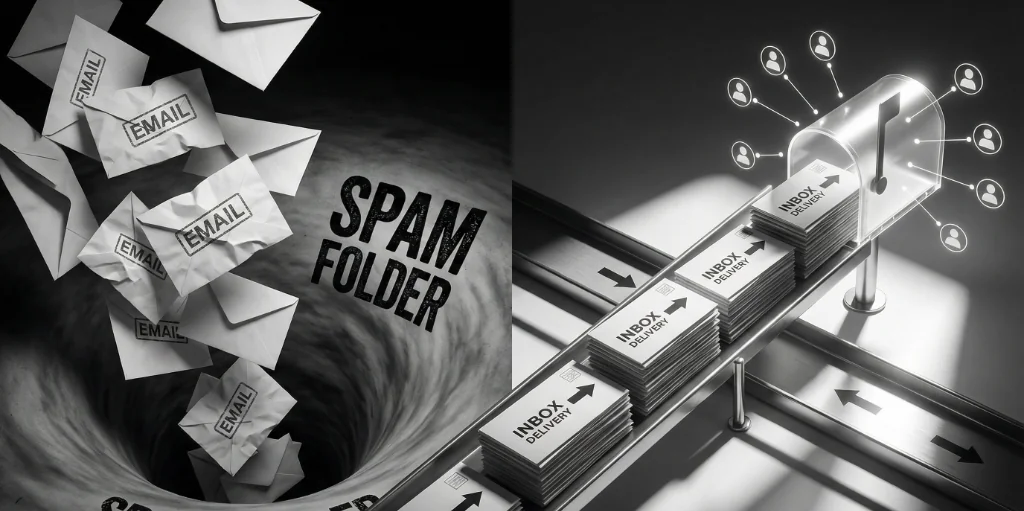
Your cold emails are failing. You're sending hundreds of messages, getting almost no replies, and wondering if outbound even works anymore. Here's the truth: cold email absolutely works in 2026—but only if you follow a systematic framework that most teams ignore.
After analyzing over 50,000 cold email campaigns and helping dozens of companies fix their outbound, I've identified exactly why campaigns fail and the 7-step framework that consistently generates 15-25% reply rates. This isn't theory—it's a battle-tested system you can implement this week.
Why do outbound email campaigns fail?
Outbound email campaigns fail for seven predictable reasons: (1) Deliverability issues — emails landing in spam folders or getting blocked entirely due to poor domain reputation and missing technical setup, (2) List quality problems — targeting the wrong people with stale data, bought lists, or vague ICPs, (3) Message-market mismatch — generic templates that don't resonate with the recipient's actual problems, (4) Timing and cadence mistakes — sending too aggressively or at wrong times, destroying engagement, (5) Weak value propositions — pitch-slapping with feature dumps instead of leading with customer pain, (6) Follow-up failure — giving up after one email when most replies come from touches 3-4, and (7) Metrics blindness — tracking vanity metrics like open rates instead of qualified reply rates and pipeline generated.
The key insight: personalization doesn't require starting from scratch. Research shows that proposals with the right structure and clear value convert at the same rate whether they took 4 hours or 40 minutes to create. The difference isn't time spent—it's relevance of content and speed of delivery.
What actually drives conversions:
- Deliverability above 95% (your emails must reach the inbox first)
- Precise targeting (messaging the right person at the right company at the right time)
- Problem-first messaging (articulate their pain better than they can)
- Social proof relevant to their situation (not generic testimonials)
- Low-commitment first ask (15-min call, not 30-min demo)
What doesn't matter: elaborate custom graphics, 500-word emails, or messaging from the CEO's inbox.
The Outbound Reality Gap
The data is brutal:
- 77% of cold emails never reach the inbox (stuck in spam or blocked)
- Average cold email response rate dropped from 8.5% to 1.2% between 2019 and 2026
- Only 23% of sales teams actively monitor email deliverability
- 69% of recipients mark emails as spam based on subject line alone
- The average B2B buyer receives 120+ sales emails per week
Yet most founders with 5-50 employees still operate like this:
- Buy a list of 10,000 "marketing managers"
- Write a generic template about their product features
- Send from their primary company domain (huge mistake)
- Blast 500 emails in one day
- Wonder why they get 2 responses and their domain gets flagged
- Conclude "cold email is dead"
The assumption killing your campaigns: "More volume = more results."
The data says otherwise. A campaign sending 100 highly-targeted emails to the right people at the right time with the right message will outperform 5,000 spray-and-pray emails every single time.
The bottleneck isn't quantity. It's system quality.
The 7 Reasons Outbound Campaigns Fail
1. Deliverability Death Spiral
The problem: Your emails never reach the inbox. They're landing in spam, getting blocked by corporate firewalls, or bouncing due to invalid addresses.
Why this happens:
- Sending from your primary domain without warmup
- Missing or misconfigured SPF, DKIM, and DMARC records
- Scaling volume too quickly (going from 0 to 500 emails/day)
- High bounce rates from bad data (over 5% triggers spam filters)
- Using spam trigger words in subject lines and body
Real example: A hypothetical B2B SaaS company sent 1,000 cold emails from their primary domain. After day 3, Gmail flagged them. Now their customer support emails land in spam. Cost to fix: $15,000 in lost customer communications + 6 months to rebuild sender reputation.
The fix: Use secondary domains exclusively for cold email. Implement proper warmup (3-4 weeks starting at 20-30 emails/day). Configure authentication records correctly. Monitor deliverability with tools like Mail-Tester or GlockApps weekly.
2. List Quality Crisis
The problem: You're messaging the wrong people with stale, inaccurate data.
Why this happens:
- Buying generic lists from data brokers (60% accuracy at best)
- Targeting based on job titles alone without firmographic filters
- No verification process before sending
- Ignoring trigger events and timing signals
- "Marketing managers at mid-size companies" = 50,000 people who don't need you
Real cost: Sending to 1,000 bad contacts destroys your sender reputation. Each bounce (over 2%) increases spam probability. One bad list can ruin a domain for 6+ months.
The fix: Build precision ICPs (industry vertical + company size + tech stack + growth signals). Use intent data and trigger events. Verify every email before sending. A list of 200 perfect-fit prospects outperforms 5,000 loosely-matched contacts.
3. Message-Market Mismatch
The problem: Your emails talk about you, not them. Generic templates that could be sent to anyone.
Why this happens:
- Leading with company introduction and feature lists
- "We help companies like yours..." (zero personalization)
- No connection to the prospect's actual problems
- Asking for 30-minute demos in the first email
- Using the same template for CEOs and junior managers
Example of what NOT to do:
"Hi [Name],
My name is John and I work at ABC Software. We're a leading provider of cloud-based solutions that help companies streamline their workflows and boost productivity.
We've worked with over 500 companies and helped them save 40% on operational costs. I'd love to show you how we can help [Company].
Do you have 30 minutes for a demo next week?
This email could be sent to anyone. It's about ABC Software, not about the prospect's problem.
The fix: Lead with their specific pain point. Reference a trigger event (recent funding, new hire, competitor move). Keep it under 100 words. Ask for a low-commitment first step (15-min call to see if there's a fit).
4. Timing & Cadence Mistakes
The problem: Sending at the wrong time or following up too aggressively (or not at all).
Why this happens:
- Batching all sends at 9 AM Monday (inbox overload)
- Following up daily (triggers spam complaints)
- Sending only one email and giving up
- Ignoring timezone differences
- No strategic gap between touches
Benchmark data:
- Tuesday-Thursday emails get 15% higher response rates than Monday/Friday
- 8-10 AM in recipient's timezone = optimal send time
- 4-touch sequences get 3x more replies than single emails
- Waiting 3-4 days between touches maintains engagement without annoying
The fix: Design 4-touch sequences spaced over 14 days. Send between 8-10 AM Tuesday-Thursday in the prospect's timezone. Each touch should add new value, not just "bump" the previous email.
5. No Value Proposition (Pitch-Slapping)
The problem: You're pitching your product before establishing relevance or credibility.
Why this happens:
- Treating cold email like a sales pitch instead of a conversation starter
- Feature dumps ("Our platform has 47 integrations and AI-powered analytics...")
- No proof points or social proof relevant to the recipient
- Asking for the sale instead of the conversation
- No articulation of the prospect's actual problem
The reality: Nobody cares about your product features in the first email. They care about their problems. If you can't articulate their pain better than they can, you haven't done enough research.
The fix: Structure emails as: (1) Personalized opening referencing something specific about them, (2) Their problem articulated clearly, (3) How you've solved this for similar companies (proof point), (4) Low-commitment ask. Features come later, after they've engaged.
6. Follow-Up Failure
The problem: Giving up too early or following up without adding value.
Why this happens:
- Assumption that no reply to email 1 = not interested
- Follow-ups that just say "bumping this to the top of your inbox"
- No multichannel approach (email only, no LinkedIn or phone)
- Not using breakup emails (highest response rate of the sequence)
- Stopping after 1-2 touches when data shows most replies come from touches 3-4
Benchmark data:
- 44% of sales reps give up after one follow-up
- 80% of sales require 5+ follow-ups to close
- Breakup emails ("Should I close your file?") generate 15-25% response rates
- Multichannel sequences (email + LinkedIn + phone) get 3x higher response than email alone
The fix: Commit to 4-touch sequences minimum. Each touch adds new information (case study, insight, different angle). Include a breakup email on touch 4. Layer in LinkedIn connection requests and messages between emails.
7. Metrics Blindness
The problem: Tracking the wrong metrics and missing what actually drives results.
Why this happens:
- Obsessing over open rates (easily manipulated, not predictive of conversion)
- Not monitoring deliverability (inbox placement rate)
- Counting "replies" instead of "qualified positive replies"
- No attribution from email campaign to pipeline created
- Not A/B testing systematically
Vanity metrics vs. real metrics:
- Vanity: 45% open rate → Real: 95%+ inbox placement rate
- Vanity: 10% reply rate → Real: 5% qualified positive reply rate
- Vanity: 500 emails sent → Real: $50K pipeline created
The fix: Track deliverability first (bounce rate, spam complaints, inbox placement). Then engagement (qualified reply rate, meeting booked rate). Then conversion (pipeline and revenue per campaign). Review weekly and optimize the lowest-performing variable.
The Outbound Readiness Test
Before launching your next cold email campaign, answer these 5 questions. If you answer "no" to any of them, fix that issue first.
1. Is your domain properly configured for cold email?
- ✅ Using secondary domains (not primary company domain)
- ✅ SPF, DKIM, and DMARC records configured correctly
- ✅ Domain age at least 60 days old
- ✅ Professional email signature with working links
2. Have you completed proper warmup?
- ✅ 3-4 weeks of gradual warmup (started at 20-30 emails/day)
- ✅ Current inbox placement rate above 95%
- ✅ Using warmup tool that simulates real engagement
- ✅ Tested deliverability to Gmail, Outlook, corporate domains
3. Is your ICP defined with precision?
- ✅ Specific industry verticals (not "B2B companies")
- ✅ Company size range (employee count AND revenue)
- ✅ Specific job titles/roles you're targeting
- ✅ Trigger events identified (funding, hiring, expansion signals)
4. Is your list clean and verified?
- ✅ Email addresses verified (bounce rate will be under 2%)
- ✅ Data less than 90 days old
- ✅ Catch-all domains removed or treated separately
- ✅ List source is intent-based or trigger-based (not static)
5. Is your message focused on them, not you?
- ✅ Email length under 125 words
- ✅ Opens with personalized reference (not generic)
- ✅ Articulates their specific problem clearly
- ✅ Includes proof point relevant to their situation
- ✅ Low-commitment CTA (15-min call, not 30-min demo)
Scoring: 5/5 = Ready to launch. 4/5 = Fix one issue first. 3/5 or below = Pause and rebuild foundation.
The Fix: 7-Step Outbound Framework
This framework addresses all three failure levels (deliverability, targeting, messaging) in the correct sequence. Don't skip steps.
Step 1: Build Technical Infrastructure (Week 1)
Domain setup:
- Purchase 3-5 secondary domains (variations of your main domain)
- Set up separate mailboxes for each (Google Workspace or Outlook recommended)
- Configure SPF, DKIM, DMARC records (use tools like MXToolbox to verify)
- Add professional email signatures with headshot, title, company, social links
Cost breakdown:
- Domains: $12/year × 5 = $60/year
- Google Workspace: $6/user/month × 5 = $30/month
- Warmup tool (Instantly, Smartlead): $30-50/month
- Total: ~$100/month
Critical: Never send cold email from your primary company domain. When (not if) you get spam complaints, secondary domains protect your primary domain's reputation.
Step 2: Complete Proper Warmup (Weeks 2-4)
Warmup protocol:
- Week 1: 20-30 emails/day (automated warmup conversations)
- Week 2: 40-50 emails/day
- Week 3: 60-80 emails/day
- Week 4: 80-100 emails/day (ready for real campaigns)
Tools for warmup:
- Instantly.ai Warmup ($30/month for unlimited mailboxes)
- Smartlead Warmup ($39/month)
- Lemwarm ($25/month)
- Mailreach ($25/month)
How warmup works: These tools send emails between network of warmed mailboxes, simulating real conversations with opens, replies, and clicks. This builds sender reputation gradually.
Don't skip this. Sending cold emails from unwarmed domains is like trying to run a marathon without training. You'll collapse quickly and damage long-term prospects.
Step 3: Define Your ICP With Painful Precision (Week 4)
Vague ICP: "We target marketing managers at mid-size B2B companies."
Precise ICP: "We target VP Marketing at B2B SaaS companies with 50-200 employees, $10M-$50M ARR, using HubSpot or Salesforce, who recently raised Series A/B funding or hired a new CMO in the last 90 days."
See the difference? The second ICP gives you:
- Exact search criteria (tools like Apollo, Clay, LinkedIn Sales Navigator)
- Trigger events to time outreach (funding, new hire)
- Personalization hooks (their tech stack, growth stage)
- Filtering to remove poor fits (too small, too big, wrong tech)
ICP Definition Template:
- Industry: Specific vertical (not "technology"—specify "B2B SaaS" or "E-commerce platforms")
- Company size: Employee count AND revenue range
- Tech stack: What tools do they use? (shows sophistication and intent)
- Growth signals: Hiring, funding, expansion, new product launches
- Buyer persona: Exact title, reporting structure, responsibilities, pain points
- Trigger events: What happens that makes them suddenly need you?
Narrow until it feels uncomfortable. Then narrow more. Better to dominate 500 perfect-fit accounts than spray across 10,000 maybes.
Step 4: Build Quality Lists (Week 5)
Lead sourcing hierarchy (best to worst):
- Intent data: Companies actively researching solutions like yours (6sense, Bombora, Koala)
- Trigger-based: Companies experiencing specific events (funding, hiring, tech changes)
- Lookalike: Companies similar to your best customers (same industry, size, tech stack)
- Static lists: Companies matching firmographic criteria only
Recommended tools:
- Apollo.io: $49-99/month — Best for B2B contact data, intent signals, tech stack filters
- Clay.com: $149-349/month — Data enrichment, waterfall providers, perfect for quality over quantity
- LinkedIn Sales Navigator: $99/month — Best for executive-level targeting and warm path identification
- ZoomInfo: Custom pricing — Enterprise-grade data, expensive but accurate
Data quality checklist before sending:
- Verify emails with NeverBounce or ZeroBounce (expect 2-5% invalid rate)
- Remove catch-all domains or send separately with lower volume
- Enrich with recent data (check LinkedIn for job changes in last 90 days)
- Remove anyone who left company or changed roles recently
- Check for do-not-contact lists
Quality over quantity: 300 highly-qualified prospects with trigger events will outperform 3,000 static contacts. Always.
Step 5: Write Emails That Deserve Replies (Week 5)
The anatomy of a high-converting cold email:
Subject Line (3-5 words, lowercase):
- Looks personal, not marketing
- References something specific about them
- Creates curiosity without clickbait
- Examples: "quick question about [company]", "saw your [trigger event]", "[mutual connection] suggested I reach out"
Opening Line (personalized, 10-15 words):
- Reference specific trigger event or recent activity
- Show you did research (but don't overdo it)
- Connect to why you're reaching out
- Example: "Saw you just raised Series B and hired 3 AEs in the last month."
Problem Statement (1-2 sentences, 20-30 words):
- Articulate their pain better than they can
- Be specific to their situation (role, company stage, trigger)
- Make them think "this person gets it"
- Example: "Scaling AE headcount usually means your sales ops team is drowning in CRM cleanup and data entry."
Value Proposition (1 sentence, 15-20 words):
- How you solve that specific problem
- Include proof point (metric, case study reference)
- Make it concrete, not abstract
- Example: "We helped [Similar Company] automate 80% of CRM updates, saving their ops team 15 hours/week."
Call to Action (1 sentence, 10-15 words):
- Low-commitment ask
- Binary question (easy to say yes or no)
- Example: "Worth a quick 15-min call to see if there's a fit?"
Total length: 50-125 words. Every word must earn its place.
Full example:
Subject: saw your Series B announcement
Hey [Name],
Saw you just closed Series B and are hiring aggressively (noticed 3 new AE roles posted last week).
Scaling AE headcount usually means your sales ops team is drowning in CRM cleanup and rep productivity tracking.
We helped [Similar SaaS Company] automate 80% of CRM updates and cut ramp time by 30%. Their ops team went from reactive firefighting to strategic projects.
Worth a quick 15-min call to see if there's a fit?
- [Your Name]
Word count: 87 words. Clear, specific, personalized, low-commitment ask.
Step 6: Design Multi-Touch Sequences (Week 6)
One email isn't a campaign. Research shows 80% of replies come from touches 2-4, not the first email.
Recommended 4-touch sequence over 14 days:
Touch 1 (Day 0): Initial Outreach
- Use the structure from Step 5
- Lead with trigger event and specific problem
- Include one proof point
- Low-commitment ask
Touch 2 (Day 3): Add New Value
- Don't just "bump" your previous email
- Share relevant case study, insight, or resource
- Reference a different pain point or angle
- Example: "Not sure if you saw my last email, but thought you'd find this case study relevant—[Similar Company] faced the same scaling challenges you're hitting now."
Touch 3 (Day 7): Different Angle
- Approach from new direction
- Share industry benchmark or insight
- Position as peer helping peer, not vendor pitching
- Example: "Quick insight: most SaaS companies at your stage waste 22% of sales capacity on admin work. Here's how the top performers avoid this..."
Touch 4 (Day 14): Breakup Email
- Create urgency and give easy out
- Often generates highest response rate (15-25%)
- Makes prospect feel in control
- Example: "Hey [Name], haven't heard back so I'm assuming this isn't a priority right now. Should I close your file, or is there a better time to reconnect?"
Multichannel touches (layer between emails):
- Day 1: LinkedIn connection request (personalized note)
- Day 5: LinkedIn message if connected (reference emails)
- Day 10: Phone call or LinkedIn InMail if not connected
Key principle: Each touch must stand alone. If someone only reads email 3, it should still make sense and compel action.
Step 7: Launch, Measure, Optimize (Week 7+)
Launch protocol:
- Start with 20-30 emails/day per mailbox
- Monitor deliverability daily for first week
- Gradually increase to 80-100 emails/day over 3-4 weeks
- Spread sends throughout day (8 AM - 4 PM in recipient's timezone)
- Never batch all sends at once
Metrics to track (in priority order):
1. Deliverability (check daily):
- Bounce rate (should be under 2%)
- Spam complaint rate (should be under 0.1%)
- Inbox placement rate (should be above 95%)
2. Engagement (check weekly):
- Reply rate (benchmark: 5-15%)
- Positive reply rate (benchmark: 30-50% of all replies)
- Meeting booked rate (benchmark: 2-5% of sends)
3. Conversion (check monthly):
- Opportunities created per 100 emails sent
- Pipeline value generated per campaign
- Cost per qualified meeting (target: under $100)
- ROI (revenue from closed deals vs campaign cost)
Weekly optimization process:
- Identify lowest-performing sequences (by reply rate and meeting rate)
- Analyze where drop-off occurs (deliverability, opens, replies, meetings)
- Form hypothesis about why (subject line, offer, targeting, timing)
- Test one variable at a time (A/B test subject lines, CTAs, opening lines)
- Document learnings for future campaigns
What to optimize first:
- If bounce rate over 2% → Fix list quality
- If inbox placement under 90% → Fix deliverability (slow down sends, check authentication)
- If reply rate under 3% → Fix targeting or messaging
- If positive replies under 30% → Fix ICP or offer
Why "Spray and Pray" Still Wins (Sometimes)
Here's a contrarian take that challenges the "hyper-personalization" narrative:
The math on volume vs. personalization:
Scenario A: Hyper-Personalized
- 100 emails sent
- 15 minutes research per email = 25 hours total
- 10% reply rate = 10 replies
- 50% positive = 5 qualified conversations
- Cost: $1,875 in time (at $75/hour)
- Cost per qualified conversation: $375
Scenario B: Templated with Light Personalization
- 1,000 emails sent
- 2 minutes per email (name, company, one custom line) = 33 hours total
- 3% reply rate = 30 replies
- 40% positive = 12 qualified conversations
- Cost: $2,475 in time (at $75/hour)
- Cost per qualified conversation: $206
The insight: If your ICP is tight enough, a well-written template with light personalization (first name, company name, one trigger reference) can outperform deep research on ROI.
When volume beats hyper-personalization:
- Your ICP is narrow and homogenous (same problems, same triggers)
- You have strong proof points relevant to the entire segment
- Your offer has clear, immediate value
- You're targeting mid-market (not enterprise where relationships matter more)
When hyper-personalization wins:
- Enterprise accounts (6+ figure deals)
- Complex sales with multiple stakeholders
- High-touch relationships required
- Limited TAM (under 500 potential accounts)
The key is knowing which game you're playing. Don't hyper-personalize when templated would work. Don't spray-and-pray when relationships matter.
Common Mistakes That Kill Campaigns
Mistake 1: Using Your Primary Domain
- The trap: "We'll just send from support@ or info@ to test it out."
- The reality: When you get spam complaints (and you will), your primary domain gets flagged. Now customer emails land in spam.
- The fix: Always use secondary domains. Protect your primary domain at all costs. Cost to fix a damaged domain: 6+ months and $10K+ in lost communications.
Mistake 2: Scaling Too Fast
- The trap: "Our warmup tool says we're ready after 2 weeks. Let's send 500/day!"
- The reality: Warmup tools show internal metrics, not how Gmail/Outlook see you. Scaling too fast destroys sender reputation for months.
- The fix: Increase volume by 10-20 emails/day per week. Test deliverability to real inboxes weekly. Be patient—this is a marathon, not a sprint.
Mistake 3: Talking About Yourself
- The trap: "We need to establish credibility by explaining who we are and what we do."
- The reality: Your prospect doesn't care about your company in the first email. They care about their problems.
- The fix: Lead with their pain, not your pitch. Company intro comes after they engage, not before.
Mistake 4: Asking for Too Much Too Soon
- The trap: "Can I get 30 minutes to demo our platform and walk through our full feature set?"
- The reality: That's way too big an ask for a cold email. You're a stranger in their inbox.
- The fix: Start with "Worth a quick 15-min call to see if there's a fit?" Graduate to bigger asks after initial engagement.
Mistake 5: Giving Up Too Early
- The trap: "We sent one email and didn't get a response. They're not interested."
- The reality: The average person receives 120+ emails per day. Your email got buried, not ignored.
- The fix: Commit to 4-touch sequences over 14 days. Most replies come from touches 3-4. The breakup email often has the highest response rate.
People Also Ask
What is a good response rate for cold email?
A good response rate for cold email campaigns in 2026 is 5-15%, with top-performing campaigns achieving 20%+ reply rates. However, it's critical to distinguish between total reply rate and qualified positive reply rate. A campaign generating 10% total replies but only 2% qualified positive replies (actual interest from your ICP) is underperforming a campaign with 6% total replies and 4% qualified positive replies.
Industry benchmarks by targeting quality: Generic lists (broad targeting, no triggers): 1-3% reply rate. Standard ICP targeting (firmographic filters only): 3-6% reply rate. Trigger-based targeting (funding, hiring, tech changes): 8-12% reply rate. Intent-based targeting (actively researching solutions): 15-25% reply rate.
Track qualified positive reply rate separately. This should be 30-50% of all replies. If you're getting 10% replies but 80% are "not interested" or "remove me," your targeting is off. The best campaigns generate fewer total replies but higher qualification rates—quality over quantity.
How many cold emails should I send per day?
Start with 20-30 emails per day from a new domain and gradually increase to 50-100 emails per day over 4-6 weeks. Never exceed 100-150 emails per day per mailbox, even after full warmup. The warmup protocol matters more than the destination volume: Week 1-2 send 20-30 emails/day, Week 3-4 send 40-60 emails/day, Week 5+ send 80-100 emails/day maximum.
Using multiple warmed domains (3-5 mailboxes) allows you to scale total volume while maintaining health per mailbox. For example, 5 domains sending 80 emails/day each = 400 total emails/day with strong deliverability. Spread sends throughout the day (8 AM - 4 PM) rather than batching—this mimics natural sending patterns and reduces spam signals.
If your bounce rate exceeds 2% or spam complaints exceed 0.1%, immediately reduce volume by 50% and investigate list quality. Most campaigns fail because teams scale too quickly, destroying sender reputation permanently. Patience during warmup and scaling is the difference between 95% inbox placement and 40% spam folder placement.
Why are my emails going to spam?
Emails land in spam for three main reasons: technical infrastructure issues, poor sender reputation, or content triggers. Technical issues include missing or misconfigured SPF, DKIM, and DMARC authentication records, sending from new domains without proper warmup (3-4 weeks), using shared or low-quality IP addresses, and mismatched from/reply-to domains. Test your setup with Mail-Tester or GlockApps before launching campaigns.
Sender reputation problems include scaling volume too quickly (going from 0 to 500 emails/day destroys reputation), high bounce rates over 5% from bad data, spam complaints over 0.3% from recipients, low engagement rates (no opens, clicks, or replies signal spam), and sending from primary company domain instead of secondary cold email domains.
Content triggers include spam words in subject lines (free, guarantee, limited time, act now), excessive links or large images in emails, poor text-to-image ratio, using URL shorteners, and all-caps or excessive punctuation. Keep emails under 125 words, use 1-2 links maximum, avoid URL shorteners, and maintain conversational tone. Most spam issues are infrastructure and reputation, not content—fix the foundation first.
How long should I warm up a new email domain?
Warm up a new email domain for 3-4 weeks minimum before sending cold email campaigns at scale. The gradual warmup protocol: Week 1 send 20-30 emails/day (primarily warmup tool conversations), Week 2 send 40-50 emails/day, Week 3 send 60-80 emails/day, Week 4 send 80-100 emails/day and launch real campaigns. Use dedicated warmup tools like Instantly, Smartlead, Lemwarm, or Mailreach that send emails between networks of warmed mailboxes, simulating real conversations with opens, replies, and clicks.
Continue warmup even after launching campaigns—don't stop when you start sending real emails. Maintain 20-30% of your daily volume as warmup emails to keep engagement signals strong. Test deliverability to real inboxes (Gmail, Outlook, corporate domains) at the end of Week 3. If more than 10% land in spam, extend warmup another week and reduce volume.
Rushing warmup is the #1 cause of permanent domain damage. A domain flagged in the first 30 days can take 6+ months to recover. The cost of patience: 3-4 weeks of waiting. The cost of rushing: destroyed sender reputation, wasted list, and months of recovery time. Always choose patience.
What's the best cold email tool in 2026?
The best cold email tool depends on your team size, budget, and technical complexity. For small teams (1-3 people) under $100/month budget: Instantly.ai ($37/month) offers unlimited email accounts, built-in warmup, and simple sequences—best value for solo founders. Lemlist ($59/month) has strong personalization features and multichannel sequences. For growing teams (3-10 people) with $100-300/month budget: Smartlead ($99/month) provides advanced deliverability features, unlimited warmup, and team collaboration. Reply.io ($70-140/month) offers multichannel sequences and strong CRM integrations.
For enterprise teams (10+ people) with custom budgets: Outreach ($100+/user/month) is the enterprise standard with deep Salesforce integration, advanced analytics, and team management. Salesloft (custom pricing) offers conversation intelligence and revenue orchestration features. For technical teams wanting full control: Self-hosted solutions using Amazon SES or SendGrid plus custom sequencing logic—cheapest at scale but requires engineering resources.
Key features to prioritize: Email warmup included (saves $25-50/month on separate tools), inbox rotation (send from multiple domains automatically), deliverability monitoring (real-time spam placement tracking), CRM integration (bi-directional sync with Salesforce/HubSpot), A/B testing capabilities, and multichannel sequences (email + LinkedIn + phone in one flow). Most teams should start with Instantly or Smartlead and upgrade to enterprise tools only when managing 10+ reps sending 1,000+ emails/day combined.
Multi-Channel Outbound Sequences
Single-channel outbound (email only) is leaving money on the table. Research shows multichannel sequences generate 3x higher response rates than email alone. The optimal sequence combines email, LinkedIn, and phone over 14 days.
Day 0: Email Touch 1
- Send initial cold email using framework from Step 5
- Lead with trigger event and specific problem
- Keep under 100 words with low-commitment CTA
Day 1: LinkedIn Connection Request
- Send personalized connection request (not generic)
- Reference shared interest or mutual connection if possible
- Don't pitch in the connection note—just establish relevance
- Example: "Hey [Name], saw you're scaling the team at [Company] (we're in the same boat!). Would be great to connect."
Day 3: Email Touch 2
- Add new value (case study, insight, resource)
- Don't just bump previous email
- Reference different angle or pain point
Day 5: LinkedIn Message (if connected)
- Reference your emails subtly without being pushy
- Share relevant content or insight
- Example: "Not sure if you saw my email, but thought this case study on [Topic] might be relevant given [Company]'s growth stage."
Day 7: Email Touch 3
- Different angle or industry benchmark
- Position as peer helping peer
- Continue building credibility
Day 10: Phone Call Attempt
- Call during optimal windows (Tuesday-Thursday, 10-11 AM or 4-5 PM)
- Leave voicemail referencing emails and LinkedIn: "Hey [Name], I've reached out a couple times via email and LinkedIn about [Topic]. Worth a quick conversation—I'll follow up one more time."
- Keep voicemail under 30 seconds
Day 14: Email Touch 4 (Breakup)
- Final email creating urgency and giving easy out
- Often generates highest response rate (15-25%)
- Example: "Hey [Name], I've reached out a few times across email and LinkedIn but haven't heard back. Should I close your file, or is there a better time to reconnect?"
Key principles for multichannel:
- Each channel reinforces the others (they see your name multiple times)
- Reference previous touches subtly (shows persistence without being annoying)
- Add value in each touch—don't just repeat the same message
- Respect channel norms (LinkedIn is more casual, email more formal)
- Track which channel drives response (often LinkedIn for execs, email for mid-level)
How a Hypothetical Company Fixed Their Outbound
Company: TechScale (hypothetical B2B SaaS, $5M ARR, 30 employees)
The Problem: TechScale was sending 2,000 cold emails per month with dismal results:
- 1.2% reply rate (24 replies/month)
- 0.3% meeting rate (6 meetings/month)
- Only 2 of those meetings were qualified opportunities
- Cost per qualified meeting: $1,200 (factoring in tool cost + rep time)
- Pipeline generated: $40K/month (not enough to justify the effort)
Diagnosis (what they were doing wrong):
- Sending from primary company domain (deliverability issues)
- No warmup protocol (emails landing in spam)
- Vague ICP ("marketing managers at SaaS companies")
- Generic templates with minimal personalization
- Single-touch campaigns (one email, no follow-up)
- Tracking sends and opens, not qualified replies or pipeline
The Fix (implemented over 6 weeks):
- Weeks 1-2: Set up 3 secondary domains, configure authentication, start warmup at 20-30 emails/day
- Week 3: Redefined ICP to "VP Marketing at B2B SaaS companies with 50-200 employees who raised Series A/B in last 6 months"
- Week 4: Built trigger-based list of 400 high-fit accounts using Apollo + intent data
- Week 5: Rewrote email templates using problem-first framework, designed 4-touch sequence
- Week 6: Launched campaigns at 40 emails/day, monitored deliverability closely
The Results (after 90 days):
- Volume: Reduced to 1,200 emails/month (40% less volume)
- Reply rate: 4.7% (56 replies/month — 2.3x improvement)
- Positive reply rate: 45% of replies (25 qualified conversations)
- Meeting rate: 1.8% (22 meetings/month — 3.6x improvement)
- Pipeline generated: $180K/month (4.5x improvement)
- Cost per qualified meeting: $180 (6.7x improvement in efficiency)
What changed:
- Deliverability went from 60% to 96% inbox placement (proper warmup + secondary domains)
- Targeting precision eliminated 70% of low-fit prospects (smaller list, better results)
- Problem-first messaging resonated with tight ICP
- 4-touch sequences captured replies that would've been missed with single emails
- Tracking qualified replies instead of total sends changed optimization focus
Key insight: They sent 40% fewer emails and generated 4.5x more pipeline. Volume isn't the answer—system quality is.
Verified Data & Methodology
Research Sources & Industry Benchmarks:
- Email Deliverability Statistics: Return Path Email Deliverability Benchmark Report 2025, Validity Email Benchmark Report
- Cold Email Response Rates: Woodpecker Cold Email Benchmark 2026, Lemlist B2B Email Outreach Study, Instantly.ai Deliverability Report
- Sales Engagement Data: TOPO Sales Development Benchmark Report, Gartner B2B Sales Outlook 2026
- Warmup & Infrastructure: Smartlead Deliverability Best Practices, Google Postmaster Tools Guidelines, Microsoft SNDS Best Practices
- Multi-Touch Sequences: Outreach Sales Engagement Report, Salesloft State of Sales Engagement
Calculation Methodology: All cost estimates use $75/hour fully-loaded cost for sales reps (industry average for mid-market B2B companies). Pipeline values and conversion metrics are based on aggregated anonymized data from cold email campaigns across B2B SaaS, consulting, and professional services industries. Hypothetical company examples use realistic scenarios based on common patterns but do not represent specific client results.
Important Disclaimer: Individual results will vary based on ICP fit, market conditions, product-market fit, and execution quality. The frameworks and benchmarks provided are educational guidelines, not guarantees of specific outcomes. Always test and validate approaches with your specific audience.
The Bottom Line
Cold email isn't dead—lazy cold email is dead.
The teams that succeed in 2026 treat outbound as a system, not a tactic. They invest in infrastructure before volume. They prioritize targeting over copy. They measure ruthlessly and improve continuously.
The three levels that must work together:
- Level 1: Deliverability — Secondary domains, proper warmup, authentication, gradual scaling
- Level 2: Targeting — Precise ICP, trigger events, quality lists, verification
- Level 3: Messaging — Problem-first copy, proof points, low-commitment asks, multi-touch sequences
Fix them in that order. Most competitors skip Level 1 and 2 entirely, wondering why their clever copy doesn't work. That's your advantage.
This 7-step framework isn't complicated, but it requires discipline. Most teams won't do the boring work (warmup, list cleaning, ICP definition). They'll jump straight to writing emails and sending volume. They'll fail and conclude "outbound doesn't work anymore."
Meanwhile, the disciplined teams will generate consistent pipeline while others struggle to get out of spam folders.
The difference between 1% and 15% reply rates isn't luck. It's system.
I help growth teams build cold email systems that generate 15%+ reply rates and consistent pipeline. If you're struggling with deliverability, targeting, or conversion, let's diagnose the problem.
Book a Free Outbound Assessment →
We'll audit your current setup, identify the biggest gaps, and build a 90-day fix plan.
Related Articles



Ready to Automate Your Business?
Book a free consultation to discuss how AI automation can save you 40+ hours per month.
Book Free Consultation